
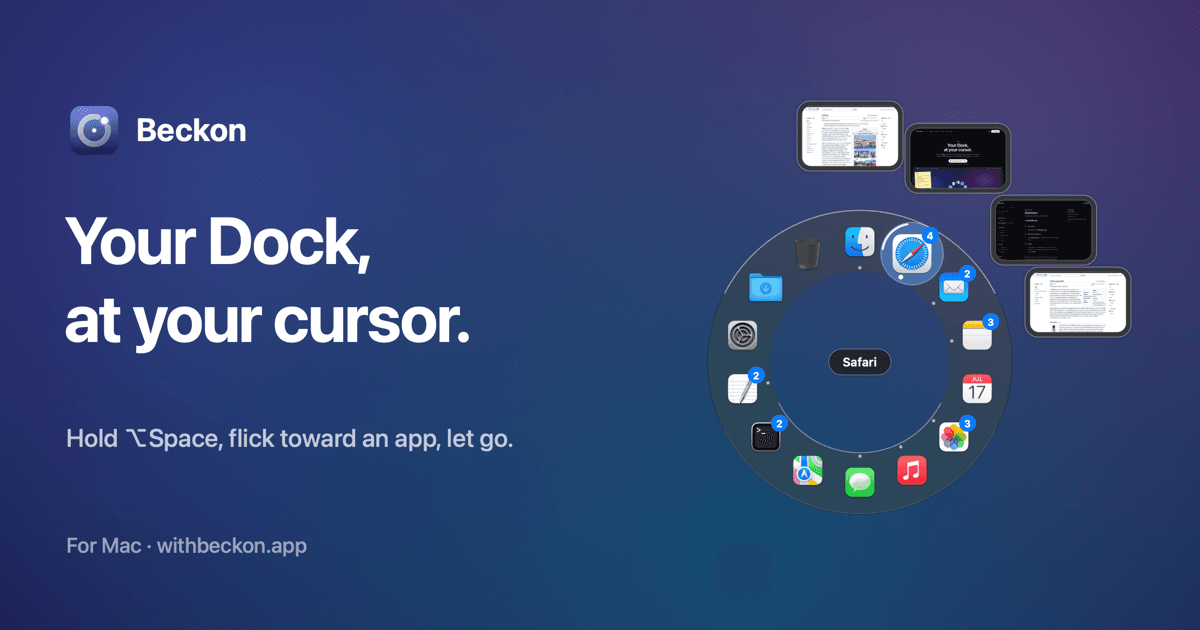
Beckon puts your apps in a ring around your pointer: hold ⌥Space, flick toward one, let go. For Mac.
Beckon — your Dock, at your cursor Beckon Try it Features Looks Privacy Pricing Docs Download For Mac Your Dock, at your cursor. Hold ⌥ Space anywhere and your apps ring your pointer. Flick toward one and let go. No more trips to the bottom of the screen. Try it below. Download for Mac — free macOS 14 or later · Pro is $19, once · no account Safari File Edit View Window Help Try it Hold ⌥ Space , flick to an app, let go Reach Safari and pick one of its windows Right-click an app in the ring Tap ⌥ Space to keep it open No keyboard? Press the middle mouse button, or press and hold anywhere here.
Beckon puts your apps in a ring around your pointer: hold ⌥Space, flick toward one, let go. For Mac.
Beckon — your Dock, at your cursor Beckon Try it Features Looks Privacy Pricing Docs Download For Mac Your Dock, at your cursor. Hold ⌥ Space anywhere and your apps ring your pointer. Flick toward one and let go. No more trips to the bottom of the screen. Try it below. Download for Mac — free macOS 14 or later · Pro is $19, once · no account Safari File Edit View Window Help Try it Hold ⌥ Space , flick to an app, let go Reach Safari and pick one of its windows Right-click an app in the ring Tap ⌥ Space to keep it open No keyboard? Press the middle mouse button, or press and hold anywhere here.
Related listings
Aven keeps the rules behind your code, checks every change against them, and briefs your AI coding tools before they edi...
